A school spirit wear store starts with permission—who approves the name, mascot, and colors—then the calendar, youth-and-adult product decisions, and one link families use instead of a paper form and payment envelope.
For PTA/PTO leaders, sponsors, boosters, and staff authorized to use the school’s identity—not a directory for finding an existing school store.
You choose and publishYour people order for themselvesAMS produces each paid order
Name the logo/mascot approval owner, the artwork deadline, the launch window, the production review, and the distribution owner. The public close date is not the first deadline.
01
Get written permission for the school name and marks
02
Check youth and adult size coverage separately
03
Use heat and season to decide tee versus hoodie emphasis
04
Tell families what happens after the store closes
School assortment logic
Cover the community without covering every shelf.
Use a controlled tee-and-hoodie set, then verify youth/adult entities and exact color-size availability in the live catalog before the store is announced.
Four decisions in one readable frame: organize approved artwork, place it, set retail against the current estimate, and publish only when you are ready. The fixture is fictional; the decisions are the real ones you will make.
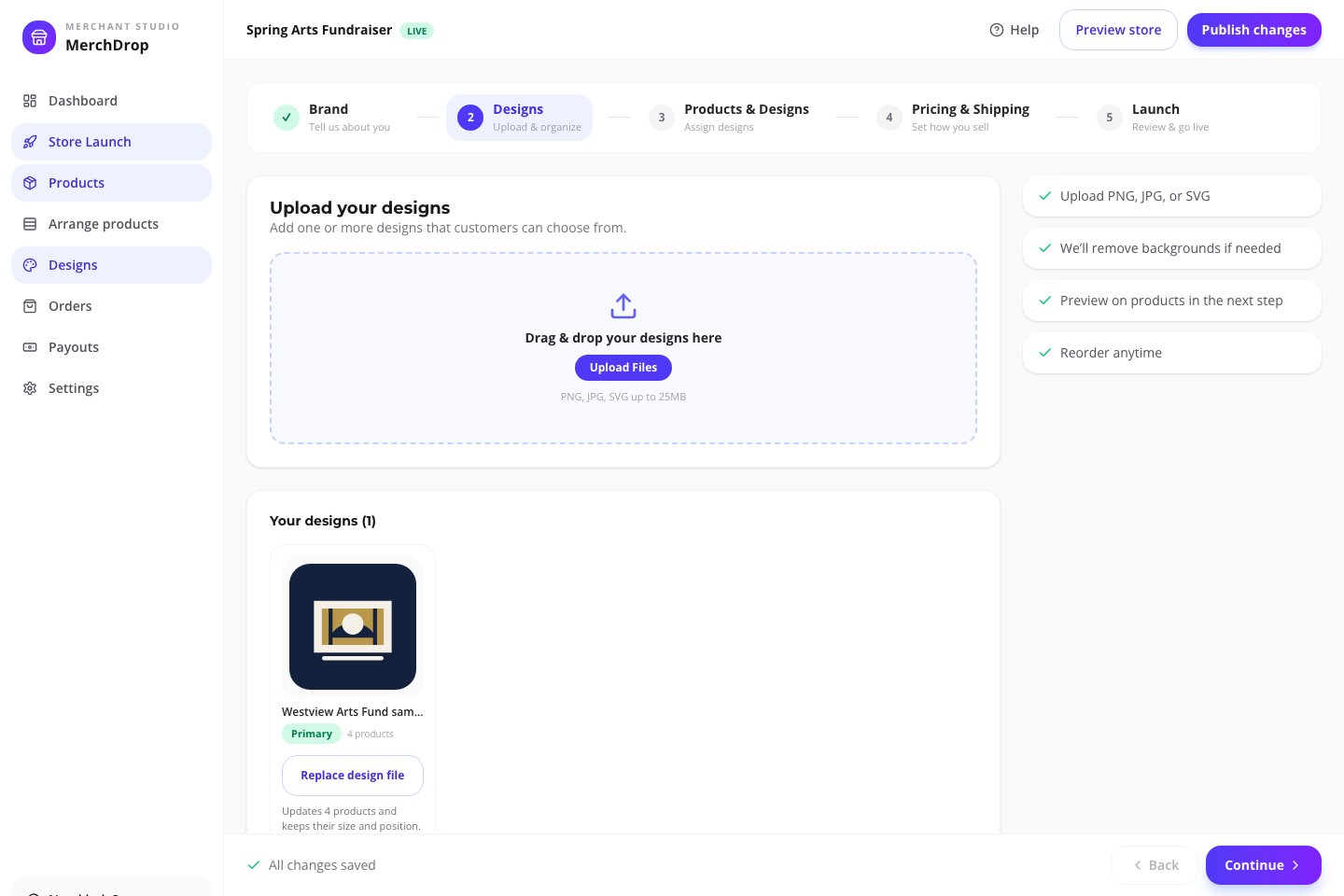
Organize approved artwork and see where it is already in use.Actual browser capture · fictional Westview Arts Fund sample · July 2026
01
Organize
Give every mark a job.
Keep primary, supporting, and placement-specific artwork together so the product plan is understandable before mockups begin.
Organize approved artwork and see where it is already in use.Actual browser capture · fictional Westview Arts Fund sample · July 2026
02
Design
Place the art where it belongs.
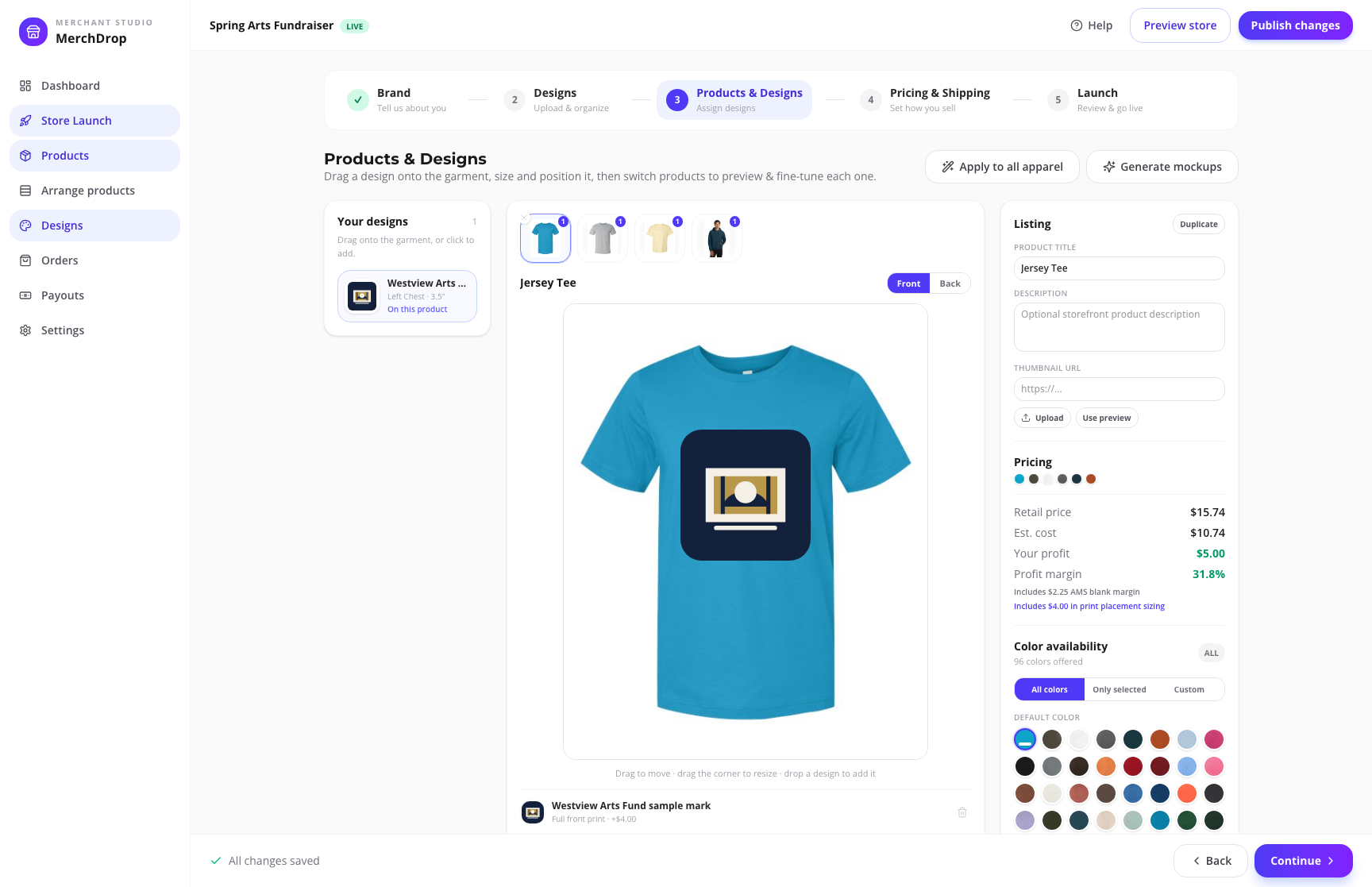
Assign artwork by product and placement—front, back, left chest, or sleeve—then review the actual setup instead of describing it in a group text.
Assign the real catalog products and decoration placements shoppers will see.Actual browser capture · fictional Westview Arts Fund sample · July 2026
03
Price
Review the economics before shoppers do.
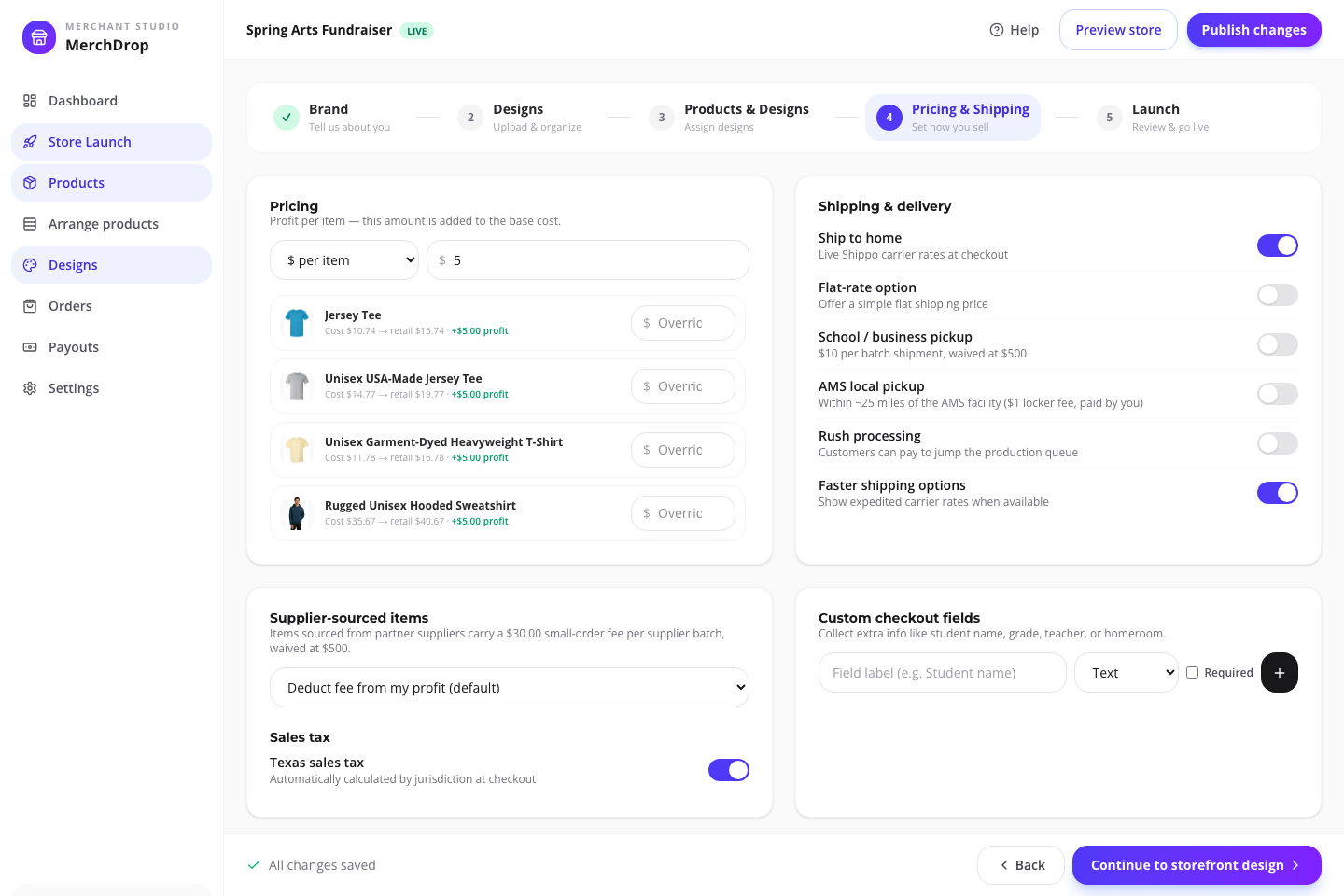
Compare the current estimated cost, the retail price you choose, and the estimated organizer profit. Starting catalog price is not the same thing as campaign profit.
Review current estimates, organizer-set pricing, and fulfillment before launch.Actual browser capture · fictional Westview Arts Fund sample · July 2026
04
Publish
Draft until the details are ready.
Arrange the storefront, check fulfillment and policy details, then publish deliberately. A saved draft is not a live store.
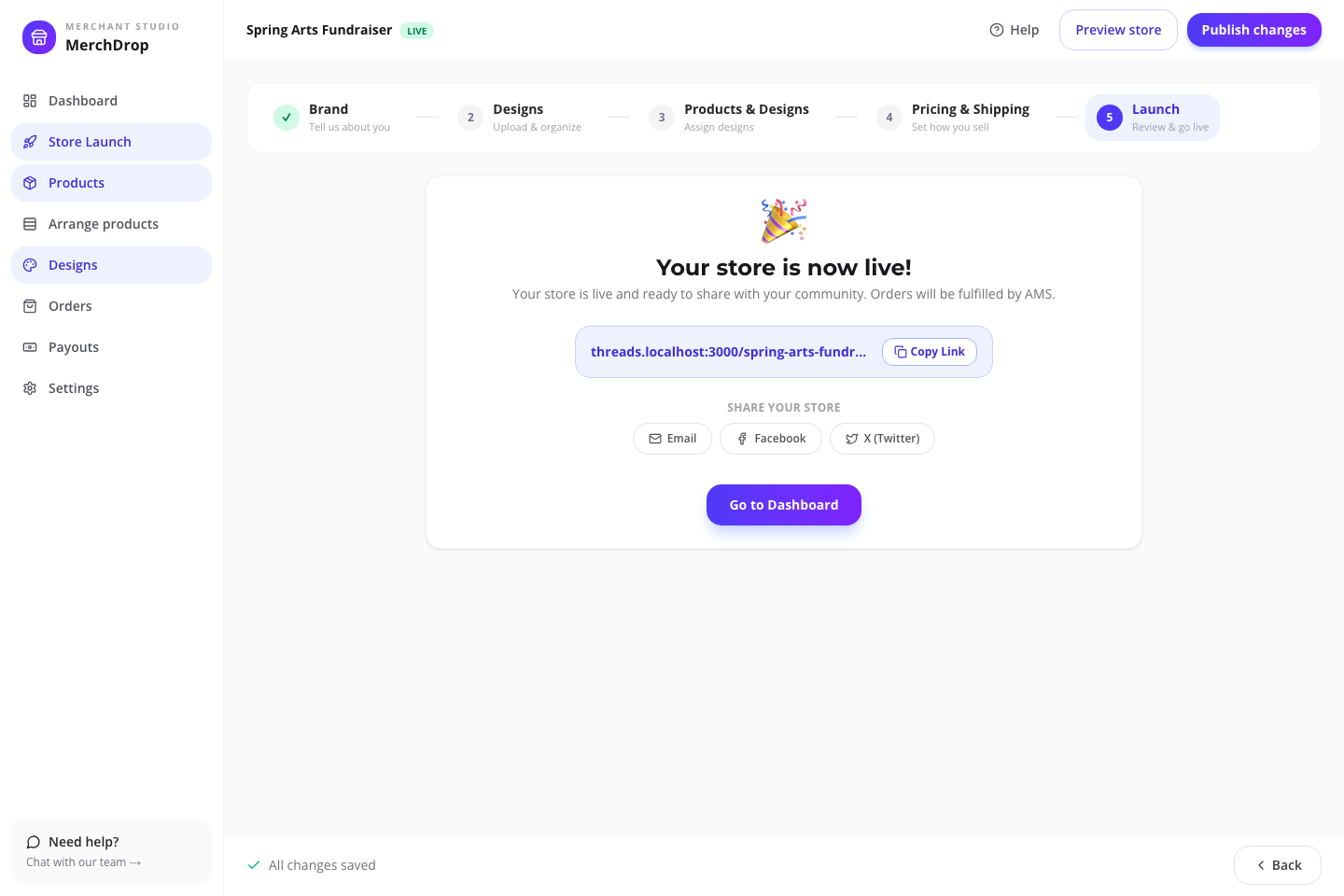
Publish deliberately, then share one store link with the group.Actual browser capture · fictional Westview Arts Fund sample · July 2026
What your people see
Parent ordering should not create a second volunteer job.
The store needs clear youth/adult labels, color and size choices, a delivery plan, and final-sale communication. A group pickup only helps when someone owns distribution.
One link for the whole group.Actual public sample storefront · fictional brand · checkout disabledProducts arrive ready to choose.Actual mobile product page · fictional sample campaignEvery shopper handles their order.Actual mobile sample checkout · payment disabled server-side
Who does what
Clear ownership prevents launch-day surprises.
Three jobs, no overlap: you decide what is sold and when it goes live; each shopper handles their own size, payment, and delivery choice; AMS produces and fulfills paid orders.
Organizer
Chooses the audience, products, approved artwork, placements, retail prices, promotion, and publishing state.
Shopper
Selects from available products and options, chooses an available delivery path, acknowledges policy, and pays the checkout total.
AMS
Provides the current catalog and workflows, then moves paid configured orders through production and the campaign’s available fulfillment path.
See the estimate. Own the price. Publish deliberately.
A catalog starting price, your retail price, the current estimate, and estimated organizer profit are four different numbers. The editor shows their relationship before anyone else sees the store.
01
Product cost changes with the actual setup
Product, size, color, decoration placement, sourcing, and timing can change the estimate. The live catalog rail shows a current decorated-from starting point—not a fixed campaign quote.
02
You choose the retail price
The campaign editor shows the relationship between estimated cost, your retail price, and estimated organizer profit before the store is published.
03
The shopper chooses an available delivery path
Shipping and configured pickup options are shown in the live store. Available methods and totals depend on the campaign setup and the shopper’s selections.
04
AMS moves paid orders into production
Orders follow sourcing, production, quality check, packing, and delivery. Made-to-order items require a clear final-sale acknowledgement during checkout.
Before you launch
Questions worth answering now.
Short answers now beat surprises after the store is live.
Who can create a school spirit wear store?
A school, PTA/PTO, booster club, team, club, or authorized organizer can plan one, but the organizer is responsible for getting permission to use the school name, logo, mascot, sponsor marks, and other protected artwork.
How should we plan youth and adult sizes?
Treat youth and adult products as separate catalog decisions. Do not infer youth availability from an adult style. Verify the actual product entities, current colors, sizes, and selected combinations before launch.
What does the organizer control?
The organizer chooses the campaign type, store name, artwork, products, placements, retail pricing, duration or goal where relevant, storefront arrangement, fulfillment settings, and when the draft is published.
What does “decorated from” mean in the product rail?
It is the current public catalog starting-price field for a decorated product. It is not your campaign retail price, guaranteed cost, organizer margin, or a promise for every size, color, placement, or deadline.
Can I get help after I start?
Yes. The Campaign Store help path covers setup and editor tasks, and the assisted-launch form on this page creates a merchant store help request with your audience and launch need.
When does the store become public?
Campaigns begin as drafts. You review products, artwork, pricing, fulfillment, content, and listing arrangement before publishing the live storefront.
Start with a private draft
Give the school one link—and the organizer one source of truth.
Start with the school-spirit preset once the approval owner and in-hands date have names next to them—or ask AMS to walk the approval, sizing, and pickup plan with you first.
 Campaign Stores
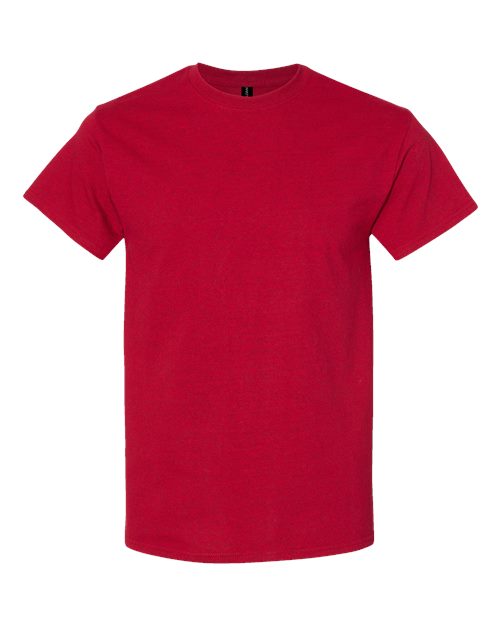 Gildan 5000 Unisex Heavy Cotton™ T-Shirt
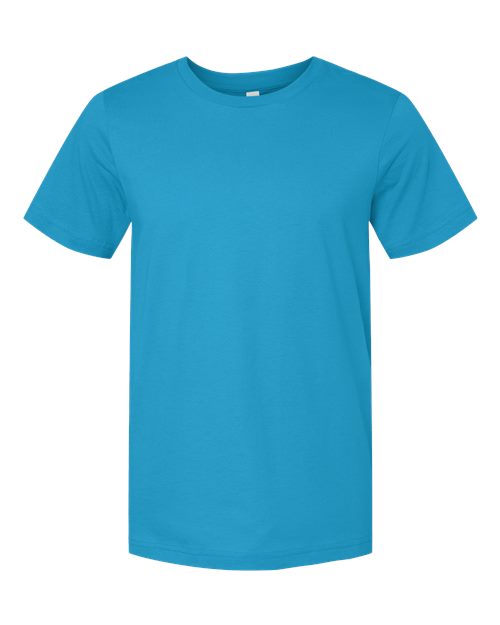 3001 Bella + Canvas Jersey Tee
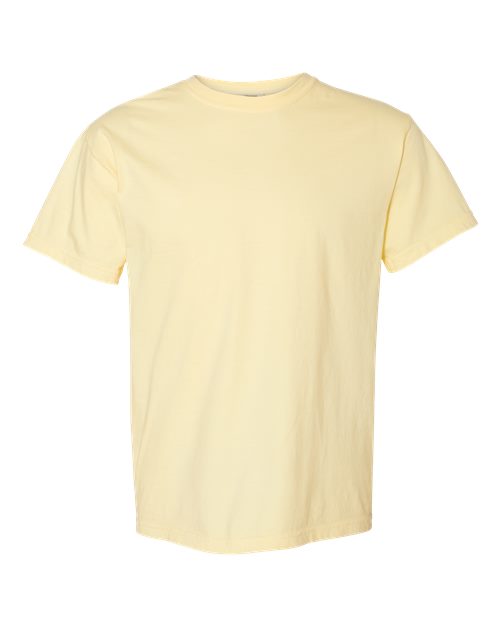 Comfort Colors 1717 Unisex Garment-Dyed Heavyweight T-Shirt